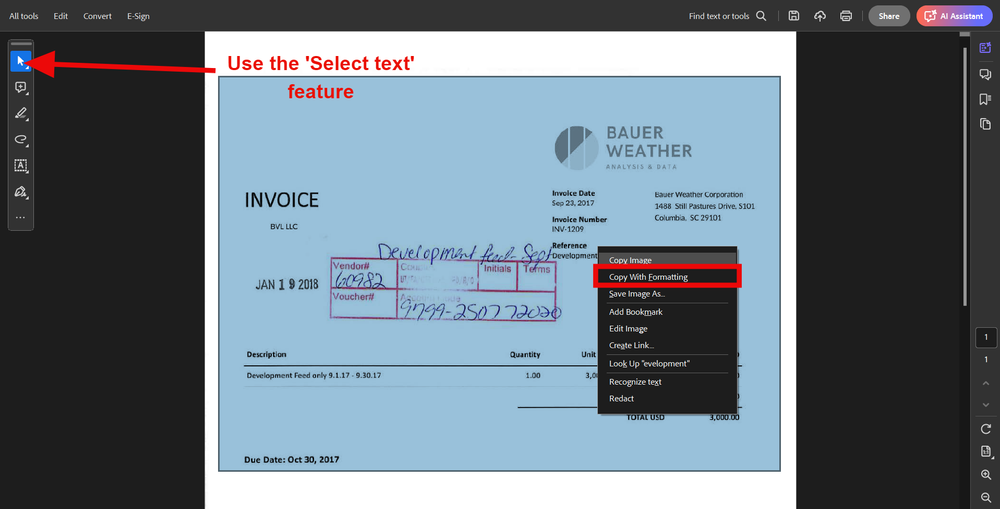
Businesses of all sizes handle a large number of invoices every month. These invoices often arrive in PDF format because PDFs preserve the original layout and are easy to share across different platforms. While PDFs are excellent for viewing and storing documents, they are not always convenient when financial data needs to be analyzed, categorized, or incorporated into accounting systems. This limitation can create challenges for finance teams that rely on accurate and timely reporting.
Converting PDF invoices into Excel provides a practical solution to this challenge. Excel allows users to sort, filter, calculate, and analyze data quickly. Instead of manually entering invoice details into spreadsheets, businesses can extract information directly from PDF files and transfer it into structured Excel sheets. This process significantly reduces administrative work while improving accuracy. When invoice data becomes accessible in Excel, organizations can generate reports faster, identify spending trends, track vendor performance, and maintain better control over financial operations. The ability to transform static PDF information into dynamic spreadsheet data has become an essential component of modern financial management.
Common Methods for Converting PDF Invoices into Excel
Several methods are available for converting pdf invoice to excel, and the best approach depends on the volume and complexity of the documents. One of the simplest options is using built-in conversion features found in modern spreadsheet and PDF software. Many applications allow users to import PDF files directly into Excel, where tables and financial information can be extracted automatically. This method works well for straightforward invoices with clear formatting and minimal complexity.
For organizations dealing with larger volumes of invoices, specialized PDF conversion tools offer enhanced functionality. These tools often use optical character recognition (OCR) technology to identify and extract text from scanned invoices. OCR is especially useful when invoices are stored as image-based PDFs rather than editable documents. Advanced software can recognize invoice numbers, dates, vendor names, tax amounts, and payment details, then organize the information into Excel columns automatically. Some solutions even support batch processing, allowing hundreds of invoices to be converted simultaneously. By selecting the right conversion method, businesses can save valuable time while ensuring that critical financial information remains accurate and organized.
Benefits of Automated Invoice Data Extraction
Manual data entry has long been one of the most time-consuming tasks within finance departments. Employees often spend hours reviewing invoices and typing information into spreadsheets, increasing the likelihood of human error. Automated invoice data extraction eliminates much of this burden by capturing information directly from PDF files and transferring it into Excel with minimal human intervention. This automation accelerates workflows and allows finance professionals to focus on more strategic activities.
The advantages extend beyond time savings. Automated extraction improves consistency across financial records and reduces discrepancies that may arise from manual entry mistakes. Accurate invoice data contributes to reliable financial reports, which are crucial for budgeting, forecasting, compliance, and decision-making. Additionally, automation enables real-time access to financial information, helping businesses respond quickly to changing market conditions. When invoice processing becomes more efficient, organizations gain greater visibility into expenses, cash flow, and vendor relationships. This enhanced transparency supports stronger financial management and better operational performance across the company.
Best Practices for Ensuring Accurate Data Conversion
Although conversion technology has improved significantly, businesses should still follow best practices to ensure data accuracy. The quality of the original PDF invoice plays a major role in the success of the conversion process. Clear, high-resolution documents with consistent formatting are easier for software to interpret correctly. Scanned invoices should be free from shadows, distortions, and blurry text that may interfere with OCR recognition. Maintaining organized digital records can also improve overall conversion efficiency.
After converting invoices into Excel, it is important to verify the extracted data before incorporating it into financial reports. Finance teams should review key fields such as invoice numbers, dates, payment amounts, tax calculations, and supplier information. Establishing validation procedures helps identify potential errors early and prevents inaccurate information from affecting reporting outcomes. Businesses may also benefit from creating standardized Excel templates that maintain consistent formatting across all imported invoices. Combining reliable software with quality control measures ensures that financial data remains trustworthy and suitable for reporting purposes. A proactive approach to data verification strengthens confidence in the reporting process and minimizes the risk of costly mistakes.
Accelerating Financial Reporting Through Excel-Based Invoice Management
The ultimate goal of converting PDF invoices into Excel is to accelerate financial reporting and improve business intelligence. Once invoice data is available in spreadsheet format, finance teams can perform calculations, generate summaries, and create visual dashboards much more efficiently. Excel’s powerful analytical tools allow users to identify trends, compare spending patterns, monitor outstanding payments, and evaluate financial performance across multiple periods. These insights help organizations make informed decisions based on accurate and up-to-date information.
Faster reporting also supports compliance and stakeholder communication. Management teams, investors, auditors, and regulatory bodies often require timely financial information to assess organizational performance. By streamlining invoice conversion and data management processes, businesses can meet reporting deadlines more consistently and reduce the pressure associated with month-end or year-end financial close activities. As digital transformation continues to reshape financial operations, converting PDF invoices into Excel has become a valuable strategy for enhancing productivity, accuracy, and reporting efficiency. Organizations that embrace this approach can build more agile financial systems, improve operational visibility, and position themselves for long-term growth in an increasingly data-driven business environment.